Architecture students use many heavy design and rendering programs during college. A slow laptop can make modeling, rendering, and multitasking difficult. That is why choosing the right laptop matters.
For this list, we studied recommendations from architecture students, architects, and design professionals shared in online communities. We also collected suggestions from students who attended our architecture masterclass.
We looked at real user experiences, long-term reliability, performance, cooling, battery life, display quality, and value for money before selecting these laptops.
This article is based on independent research. We are not associated with any of the brands listed here, and we do not earn affiliate commissions from these recommendations. Our goal is to help architecture students choose a laptop that fits their work and budget with confidence.
Here are the top 7 laptop recommendations for architecture students:
- Lenovo Legion 7i Gen 10: Suitable for all around architecture work
- ASUS ROG Strix G16: Suitable for 3D modeling and rendering
- Dell XPS 17: Suitable for professional workflows and multitasking
- HP Victus 16: Suitable for students on a budget
- Razer Blade 16: Suitable for workstation level performance
- Acer Predator Helios Neo 16S AI: Suitable for portability and creative work
- Alienware 16X Aurora: Suitable for large BIM projects and advanced rendering
Note: Prices are approximate and may vary depending on configuration, offers, and retailer.
1. Lenovo Legion 7i Gen 10 (16, Intel)
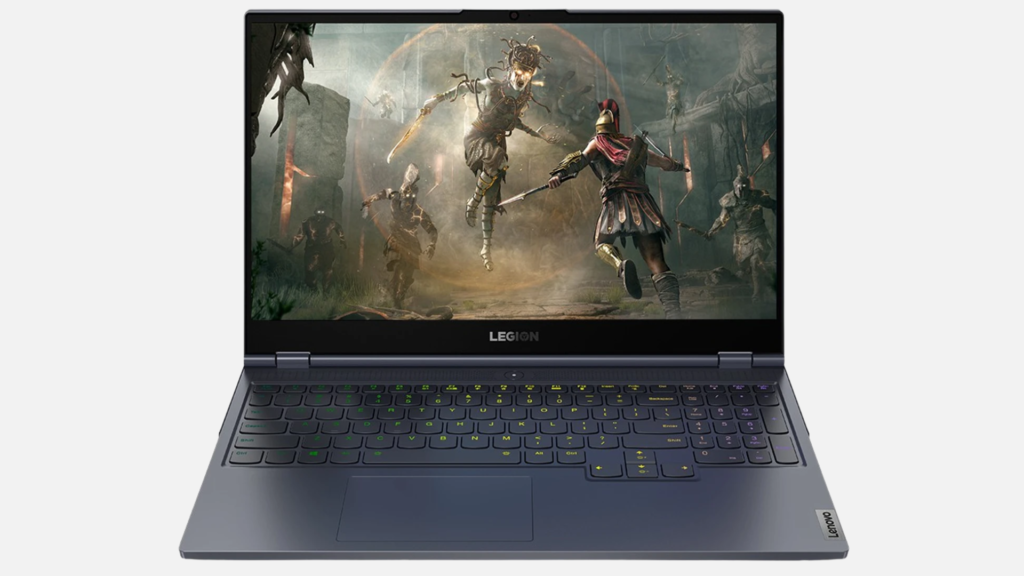
- Screen size: 16 inch WQXGA OLED (2560 × 1600)
- Processor: Intel Core Ultra 7 255HX or Intel Core Ultra 9 275HX
- Price range: ₹2.9 lakh to ₹3.5 lakh
- Weight: Starting at 1.99 kg
- Battery life: Up to 6 to 8 hours for regular work. Around 2 to 3 hours during heavy rendering and design tasks.
The Lenovo Legion 7i Gen 10 is built to handle demanding architecture projects that involve 3D modeling, rendering, and multitasking. The latest Intel Core Ultra processor and NVIDIA GeForce RTX graphics provide the power needed for large BIM models and 3D rendering.
Up to 32 GB DDR5 RAM keeps multitasking smooth when several design applications are open, while the PCIe Gen 4 SSD reduces project loading and file transfer times.
The 16 inch WQXGA OLED display delivers sharp visuals and accurate colors, while the Legion Coldfront cooling system helps maintain stable performance during long design sessions. Its combination of powerful hardware and durable aluminum build makes it a laptop that can easily last through an architecture degree.
2. ASUS ROG Strix G16
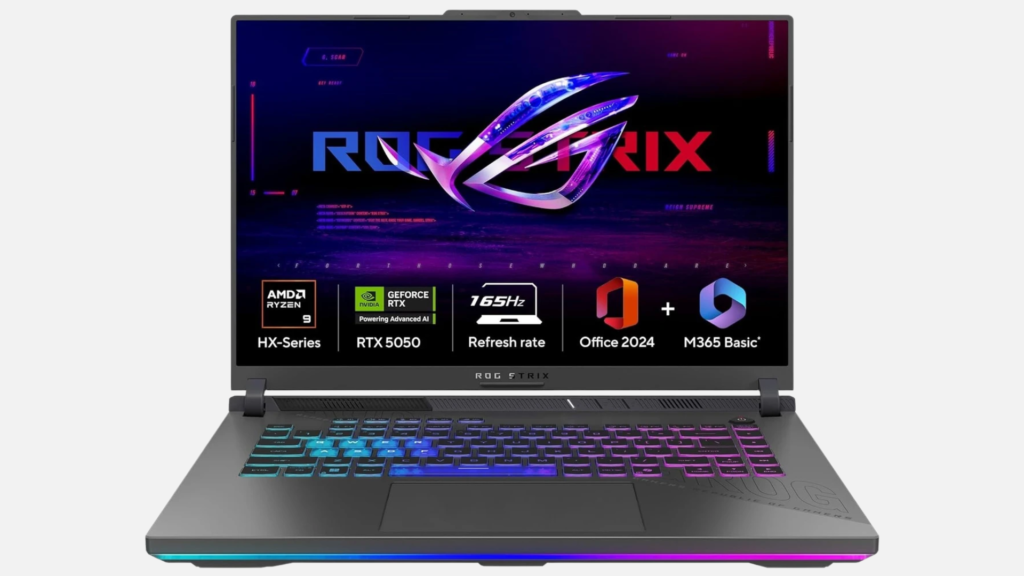
- Screen size: 16 inch FHD+ (1920 × 1200), 165Hz
- Processor: AMD Ryzen 9 8940HX
- Price range: ₹1.5 lakh to ₹1.7 lakh
- Weight: Around 2.5 kg
- Battery life: Up to 7 to 9 hours for regular work. Around 2 to 3 hours during rendering and other demanding tasks.
The ASUS ROG Strix G16 combines a powerful AMD Ryzen 9 processor with NVIDIA GeForce RTX 5050 graphics to deliver excellent performance for demanding architecture projects. Its 16-inch display offers smooth visuals and enough screen space for detailed drawings and 3D models.
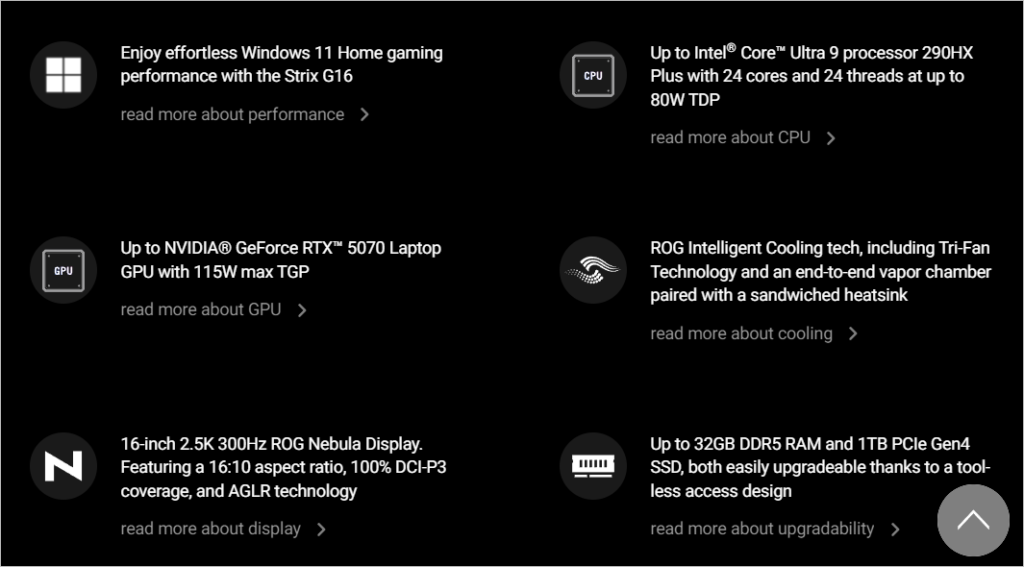
The advanced ROG Intelligent Cooling system helps maintain stable performance during long rendering sessions, while the upgradeable memory and fast PCIe SSD keep large files running smoothly. It can comfortably handle architecture software like AutoCAD, Revit, SketchUp, Rhino, Lumion, Enscape, Blender, and V Ray, making it a dependable laptop for architecture students.
3. Dell XPS 17 (9730)
- Screen size: 17 inch FHD+ (1920 × 1200)
- Processor: 13th Gen Intel Core i7 13700H
- Price range: ₹2.9 lakh to ₹3.1 lakh
- Weight: Around 2.44 kg
- Battery life: Up to 8 to 10 hours for regular work. Around 3 to 4 hours during demanding design and rendering tasks.
The Dell XPS 17 powered by 13th Gen Intel Core i7 processor and NVIDIA GeForce RTX 4060 graphics provide enough performance for BIM modeling, 3D visualization, and rendering. DDR5 memory helps when switching between Revit, AutoCAD, and Adobe Photoshop, while the PCIe SSD keeps large project files loading quickly.
Whether you are working on detailed floor plans in AutoCAD, creating 3D models in Rhino, or rendering projects in Enscape, the hardware delivers smooth performance. Its 17 inch InfinityEdge display provides more screen space for managing multiple design windows, while the premium aluminum chassis keeps the laptop slim, durable, and professional looking for both college and client presentations.
4. HP Victus 16
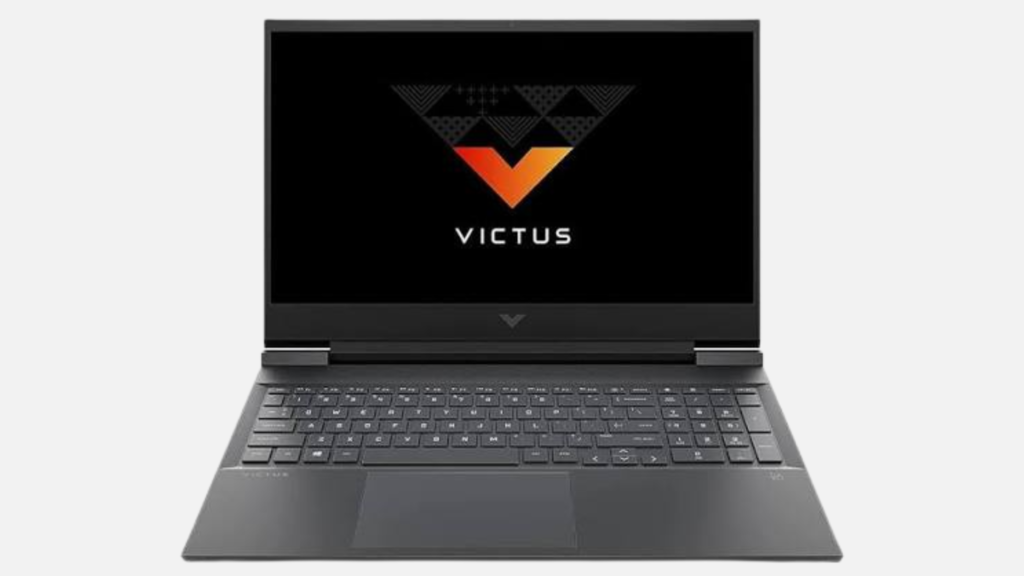
- Screen size: 16.1 inch Full HD IPS, 144Hz
- Processor: 14th Gen Intel Core i5 14450HX
- Price range: ₹82,000 to ₹90,000
- Weight: Around 2.3 kg
- Battery life: Up to 6 to 8 hours for regular work. Around 2 to 3 hours during rendering and graphics intensive tasks.
The HP Victus 16 offers a good balance of performance, display quality, and price, making it a practical choice for architecture students. The 14th Gen Intel Core i5 processor and RTX 3050 graphics offer enough performance for drafting, modeling, and moderate rendering tasks. DDR5 memory keeps everyday coursework responsive, while the SSD helps reduce waiting time when opening drawings and presentations.
The 16.1 inch display gives you enough space to work on floor plans, 3D models, and presentations without feeling cramped. It runs AutoCAD, Revit, SketchUp, Rhino, Enscape, Lumion, Blender, and V Ray reliably, making it a solid option for students who want strong performance without spending on a premium workstation.
What the Reddit community says about Victus 16:

Most Reddit users consider the HP Victus 16 a great value for money because of its strong performance and upgrade options. However, several users also reported overheating, hinge and display issues, loud fans, and mixed long term reliability, making it a good budget choice with a few trade offs.
5. Razer Blade 16
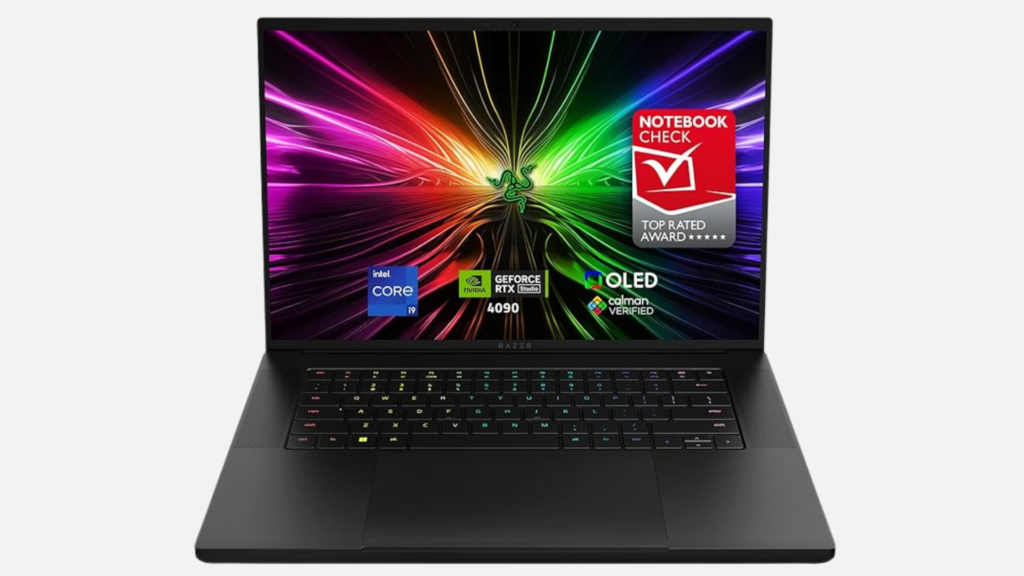
- Screen size: 16 inch QHD+ OLED (2560 × 1600), 240Hz
- Processor: Intel Core i9 14900HX
- Price range: ₹3.2 lakh to ₹4.2 lakh
- Weight: Around 2.45 kg
- Battery life: Up to 7 to 9 hours for regular work. Around 2 to 3 hours during rendering and GPU intensive workloads.
The Razer Blade 16 is a premium laptop that combines workstation level performance with a slim aluminum design. The Intel Core i9 processor and NVIDIA GeForce RTX 4090 graphics are designed for demanding rendering and visualization work.
The 32 GB DDR5 RAM supports smooth multitasking with large project files, while the 2 TB SSD provides enough space for design software, textures, and high-resolution render outputs.
What Reddit users are saying about the Razer Blade 16:

Early user feedback suggests the 2026 Razer Blade 16 delivers premium build quality, excellent OLED display, improved cooling, quieter operation, and strong RTX 5090 performance.
Many users praised its thermal management and battery improvements, though some reported software issues, higher prices, and occasional hardware defects. Overall, most impressions have been positive.
6. Acer Predator Helios Neo 16S AI
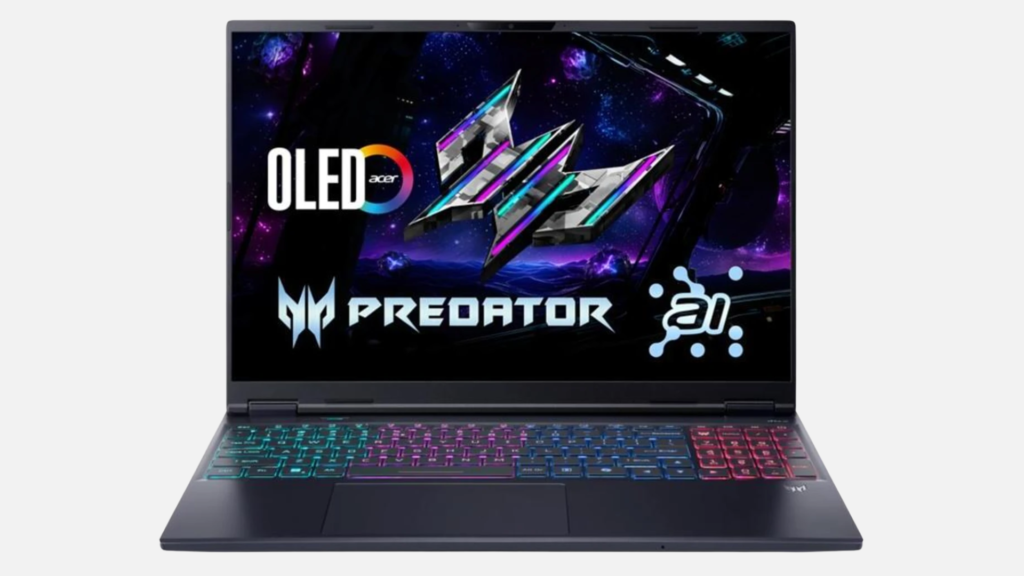
- Screen size: 16-inch WQXGA OLED (2560 × 1600), 240Hz
- Processor: Intel Core Ultra 7 255HX
- Price range: ₹1.75 lakh to ₹2 lakh
- Weight: Around 2.3 kg
- Battery life: Up to 5 to 6 hours for regular work. Around 2 to 3 hours during rendering and graphics-intensive tasks.
The Acer Predator Helios Neo 16S AI is built for students who spend long hours creating 3D models and high quality renders.
The Intel Core Ultra 7 processor and RTX 5060 graphics deliver reliable performance for 3D modeling and rendering. The 16 GB DDR5 memory supports smooth multitasking during studio work, while the 1 TB SSD gives students enough space to store project files, software, and render outputs.
Its 16 inch OLED display produces rich colors and sharp details, making design reviews more accurate. The advanced AeroBlade cooling system helps maintain performance during long studio sessions, while the slim design makes it easier to carry between home, college, and project presentations.
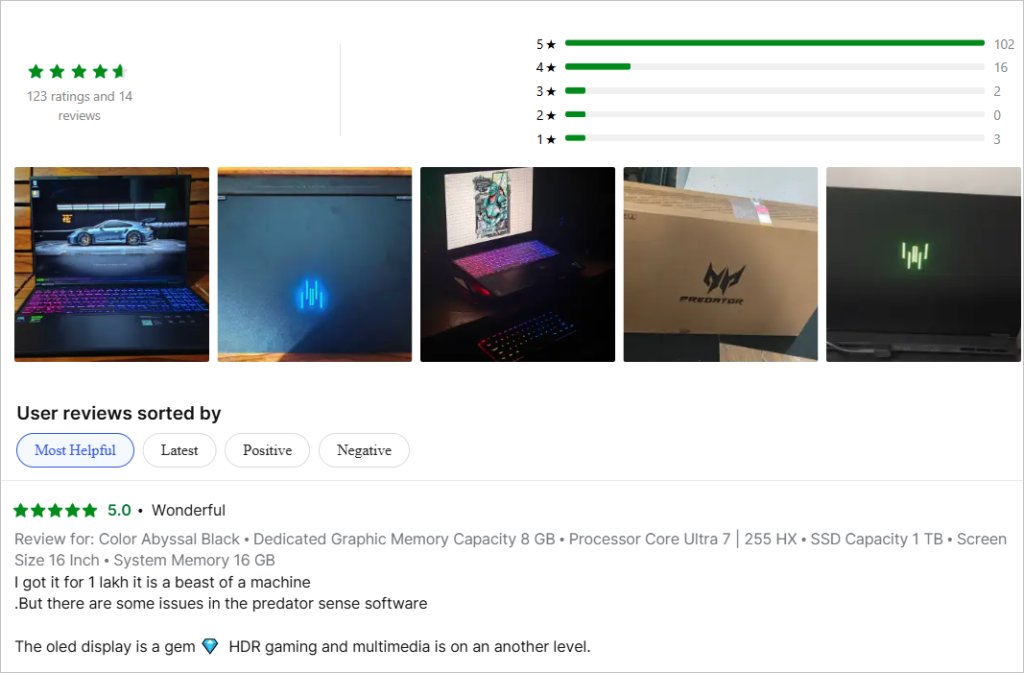
This laptop is rated as 4.7/5 with 123 ratings:
7. Alienware 16X Aurora

- Screen size: 16 inch QHD+ (2560 × 1600), 240Hz
- Processor: Intel Core Ultra 9 275HX
- Price range: ₹3.2 lakh to ₹3.4 lakh
- Weight: Around 2.66 kg
- Battery life: Up to 6 to 8 hours for regular work. Around 2 to 3 hours during rendering and graphics intensive tasks.
The Alienware 16X Aurora is designed with Intel Core Ultra 9 processor and NVIDIA GeForce RTX 5070 graphics to provide the performance needed for large architectural models and complex renders. The 32 GB DDR5 RAM keeps multiple design applications running smoothly, while the 1 TB SSD helps speed up project loading and file management.
Its 16 inch QHD+ display offers sharp visuals, a 240Hz refresh rate, and accurate colors for reviewing detailed models and presentations. The hardware is well suited for software such as AutoCAD, Revit, Rhino, SketchUp, Lumion, Enscape, Blender, and V Ray.
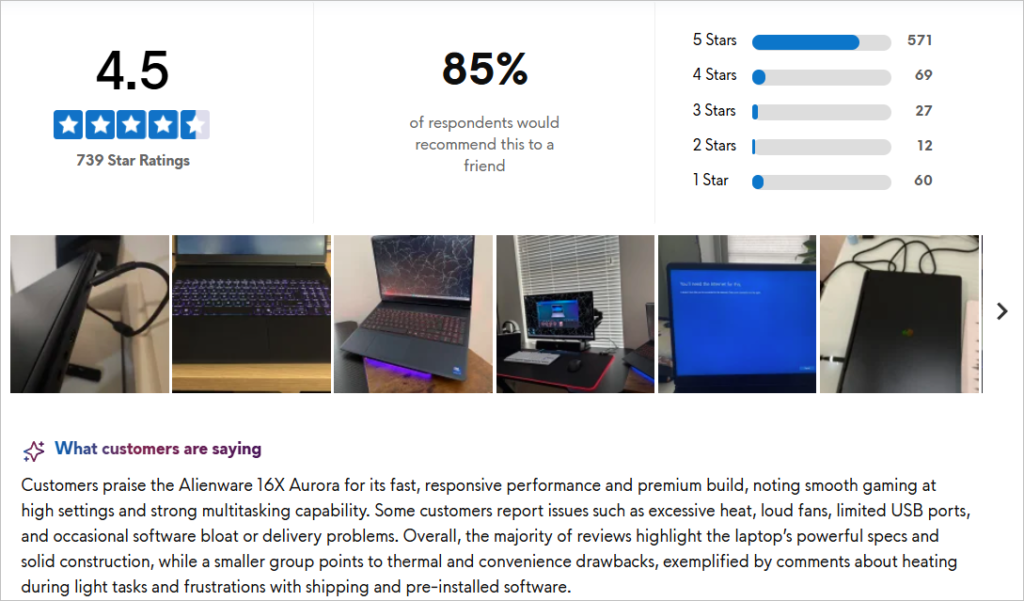
With a 4.5/5 stars from 739 rating, this laptop is amongst the top recommendation for architecture students in 2026:
What to Look for When Buying a Laptop for Architecture Students
Architecture students use different software throughout their degree. Some programs focus on 2D drafting, while others require heavy 3D modeling, rendering, and visualization. Before buying a laptop, make sure its hardware matches the software you plan to use.
Choose a Modern Multi Core Processor
The processor is responsible for handling calculations, multitasking, and large design projects. Software like AutoCAD, Revit, Rhino, and SketchUp benefits from a fast processor, especially when working with detailed models. Choose at least an Intel Core i7 or AMD Ryzen 7 processor.
If your budget allows, an Intel Core Ultra 7, Core Ultra 9, or AMD Ryzen 9 processor offers better performance for larger projects.
Buy a Laptop with Dedicated RTX Graphics
Many architecture applications use the graphics card for rendering and real time visualization. Software such as Lumion, Enscape, Twinmotion, Blender, and V Ray performs much better with a dedicated NVIDIA GeForce RTX graphics card. An RTX 4050 or RTX 4060 is suitable for most students, while RTX 4070 and above are better for complex rendering projects.
Get Enough RAM for Smooth Multitasking
Architecture students often keep several applications open at the same time. For example, you may use Revit, AutoCAD, Adobe Photoshop, and a web browser together. A laptop with at least 16 GB RAM provides a smooth experience. If you regularly work on large BIM models or high quality renders, 32 GB RAM is a better long term choice.
Choose an SSD Instead of a Hard Drive
A fast SSD helps your laptop start quickly, reduces project loading time, and speeds up file transfers. Since architecture files can become very large, choose at least a 1 TB SSD if possible. It gives you enough space for software, project files, textures, and render outputs.
Look for a High Quality Display
A larger display makes it easier to work with floor plans, elevations, and multiple design windows. A 16 inch or 17 inch screen provides a comfortable workspace for daily use. If you create presentations or realistic renders, look for a display with good color accuracy and a high resolution.
Do Not Ignore Cooling
Rendering projects can keep the processor and graphics card under heavy load for long periods. A laptop with an efficient cooling system maintains stable performance and reduces the chances of thermal throttling. This is especially important if you frequently use Lumion, Enscape, Blender, or V Ray.
Battery Life Matters for College
Most architecture students spend time in classrooms, studios, libraries, and presentations. While high performance laptops consume more power during rendering, a battery that lasts at least 6 to 8 hours during regular work is useful for note taking, drafting, and presentations without carrying the charger everywhere.
Upgrade Options Can Extend Laptop Life
If you plan to use the same laptop throughout your degree, choose a model that allows RAM and SSD upgrades. This gives you the flexibility to improve performance later without buying a completely new laptop.
Explore Further:
- Top 10 Architecture Software Every Architect Should Know
- How Architects Can Move From ₹25,000 to ₹1 Lakh+ Salary
- Top 10 Architecture Firms In India For Internship
Final Words
The right laptop can make a big difference throughout your architecture journey.
Whether you are creating 2D drawings, developing BIM models, building 3D designs, or producing high quality renders, choosing a laptop with the right processor, dedicated RTX graphics, enough RAM, and fast SSD storage will help you work more efficiently.
While premium models offer the best performance, many mid range laptops can also handle architecture coursework if they meet the recommended specifications.
If you want to improve your practical skills, explore ASDAV’s online architecture training programs. The platform offers live courses in Revit, BIM, architectural presentation, portfolio development, site analysis, and other industry focused topics.

Asmita Khodankar is an Architect, Design Photographer, and the Founder of Shades Studio by Asmita, bringing over 7 years of experience at the intersection of architecture, interiors, and visual storytelling. Having successfully delivered 500+ projects, she has built a reputation for capturing spaces with authenticity, precision, and an eye for design.
Her work has been featured in renowned international publications, including GoodHomes, ELLE DECOR, and other leading design magazines, reflecting her commitment to creating imagery that celebrates thoughtful architecture and interiors. Over the years, she has collaborated with 50+ clients, ranging from independent architects and interior designers to established legacy brands such as Duroply.
Through her writing, Asmita shares practical insights on architecture, interior design, design photography, and the creative process, helping professionals and enthusiasts alike understand the finer details that transform spaces into meaningful experiences.